The project shell keeps the real state in one place
Once you open a project, Guildhall shifts from "service over projects" into "show me the state." Setup, active work, reviewer feedback, and your next decision live in one place.
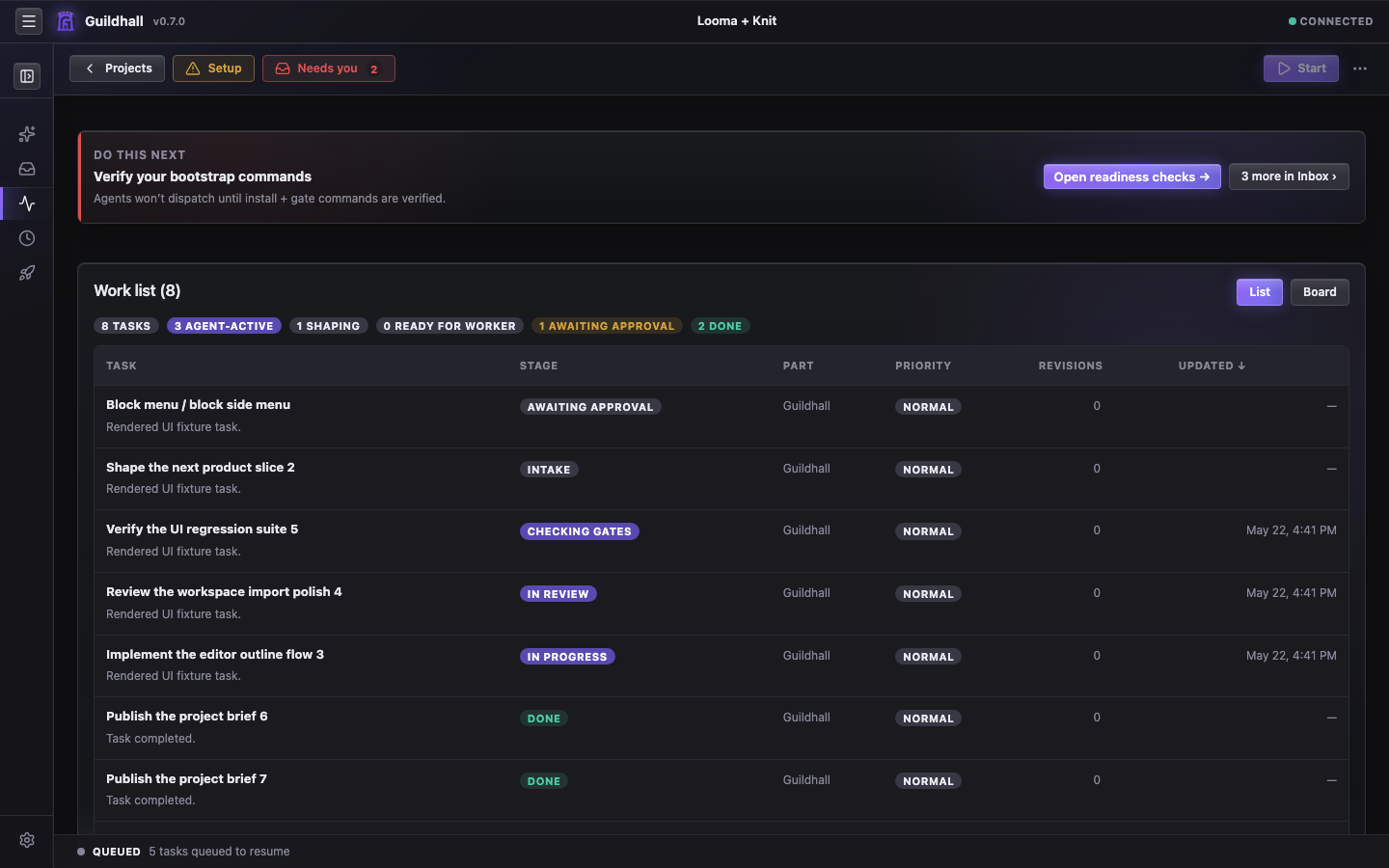
The views that matter most
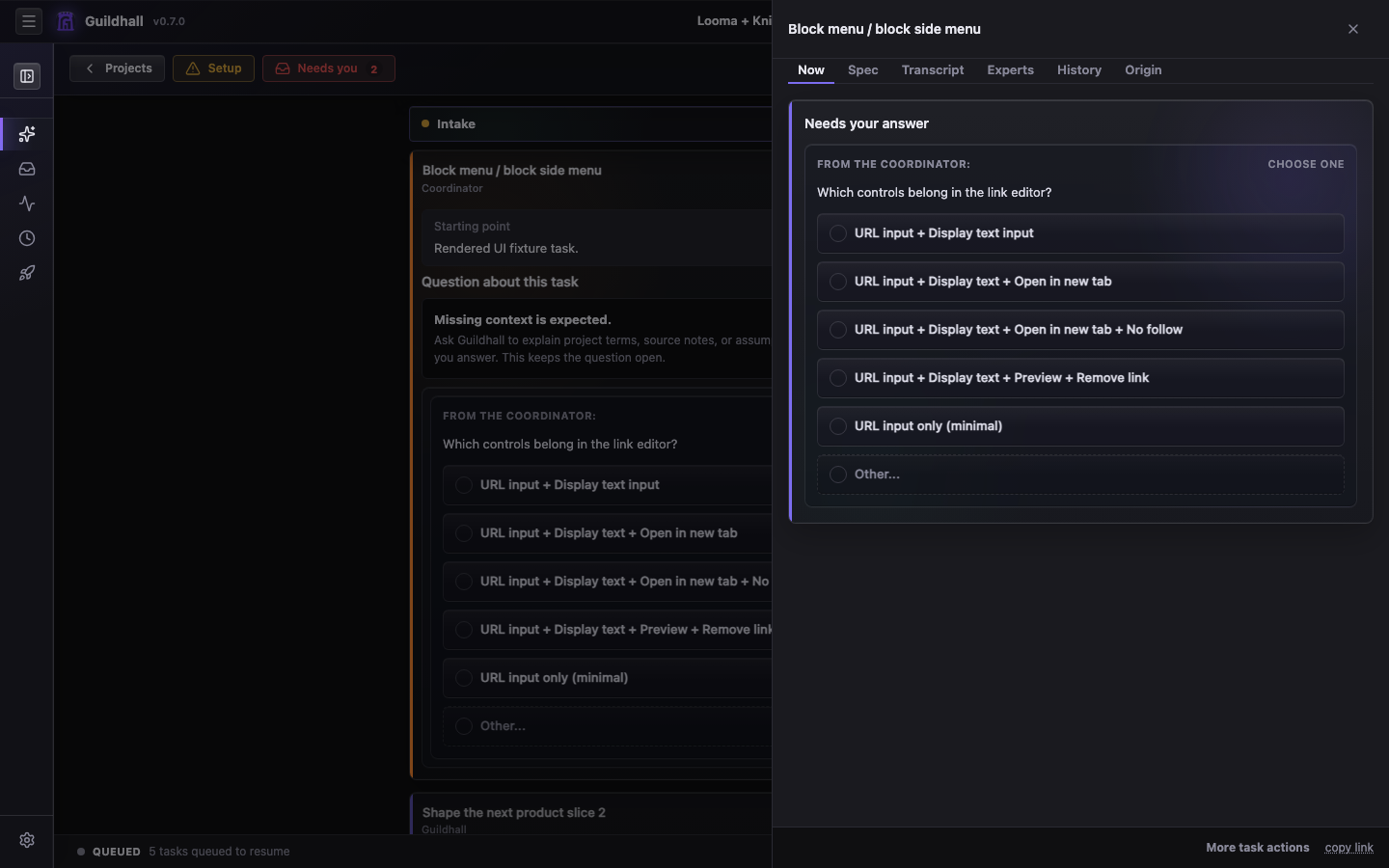
- Thread: the command surface. Setup prompts, spec approvals, live worker trouble, and “you need to answer this now” all gather here.
- Work: the queue and movement surface. This is where you judge whether the guild is making progress or just manufacturing elegant confusion.
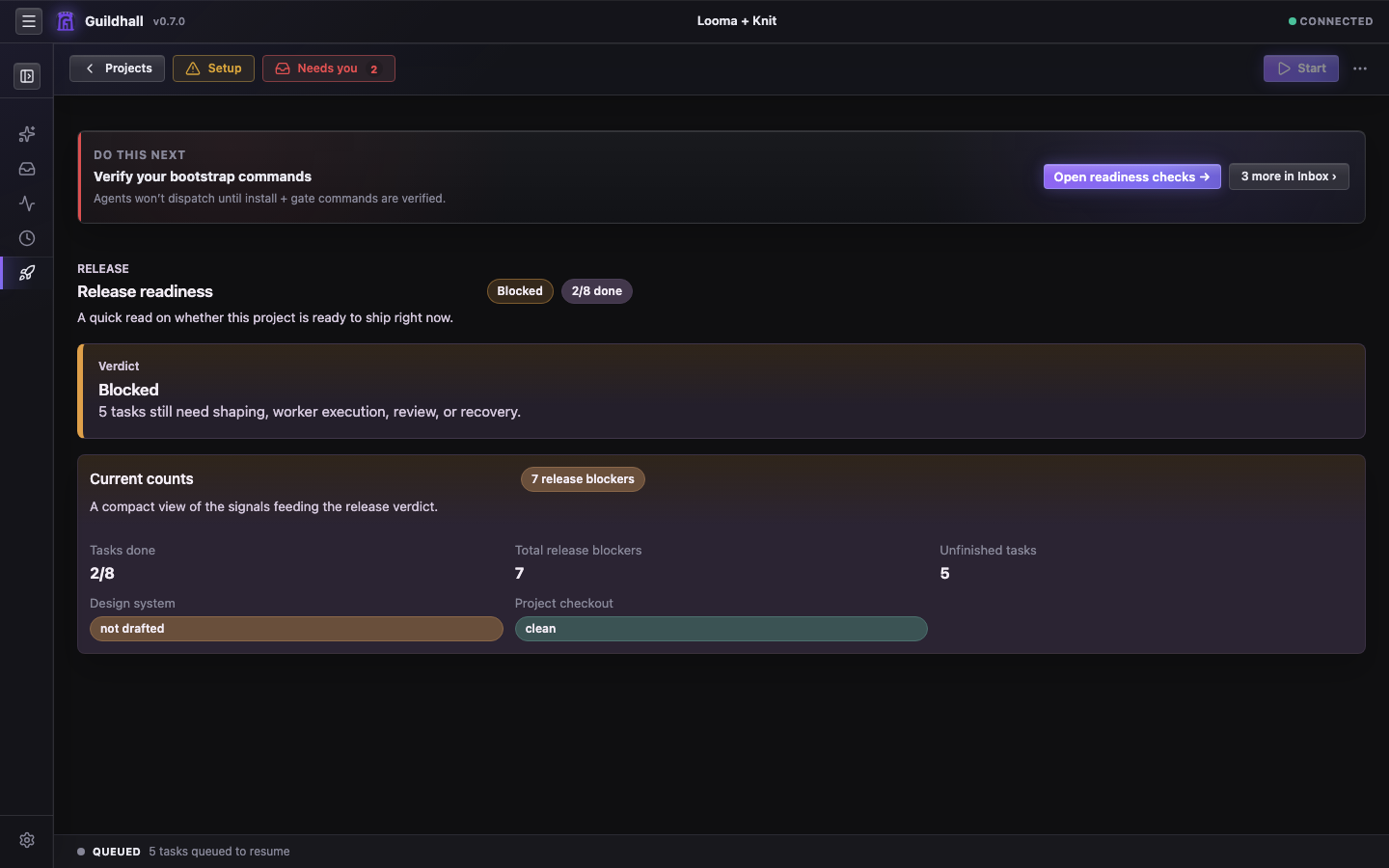
- Release: the verdict lane. If something is about to ship, this surface tells you why it deserves the privilege.
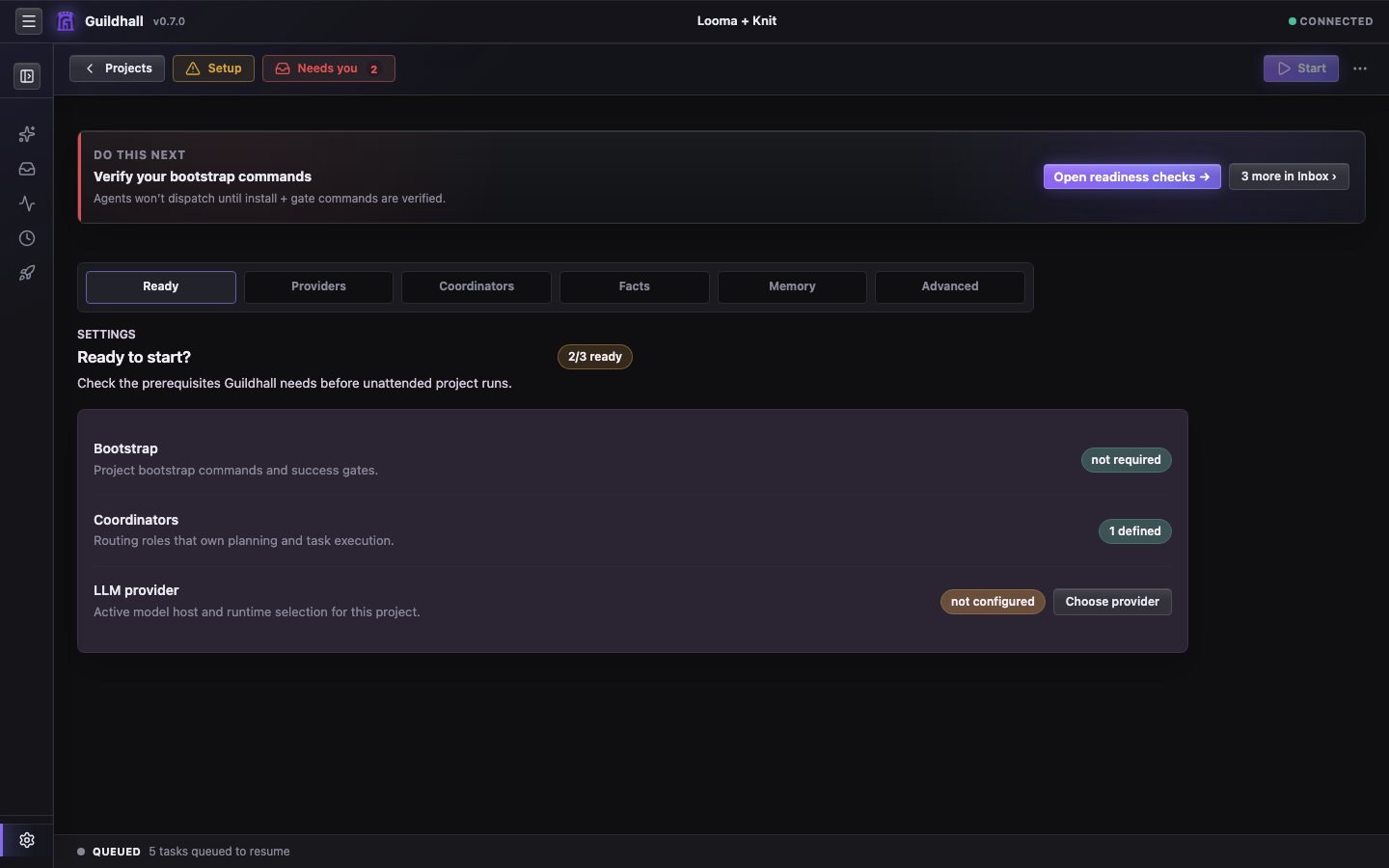
- Settings: the setup and behavior layer. Ready checks, Providers, Coordinators, Facts, Memory, Advanced settings, and the knobs that determine how much autonomy the guild gets.
What the shell is optimizing for
- Make the next real action obvious
- Keep your questions and the run's progress in the same narrative lane
- Surface release and reviewer state before it becomes an unpleasant surprise
- Let you drill into transcripts and provenance without leaving the shell
Current strengths
- Left-rail shell structure
- Task drawer inspection model
- Release and reviewer visibility
Still tightening: some denser views need stronger grouping, better type rhythm, and calmer summary bands. The shell already tells the truth; now it needs to tell it with more grace.