Ship a release
A Guildhall project can keep growing. A release is the smaller promise you can finish: a named set of work, its proof, and its repository landing state.
The whole job is:
- Select the release.
- Confirm what is included and what is later.
- Run and review the included work.
- Clear the release checks.
- Ship.
- Select another release only when you are ready.
Select the release
Open Project -> Map and find Release roadmap. Select the release you want Guildhall to treat as current.
Selection matters. Release, Overview, Work, Thread, and the task drawer all use that saved scope. Work marked Later stays visible, but it does not block the selected release.
Before starting work, check the included and later counts. If the boundary is wrong, fix the release membership first. Do not use Ship release as the moment to discover that the wrong work was selected.
Run the included work
Use Work for the selected scope and Threads for questions, briefs, and spec approvals. Guildhall can run implementation and checks, but it does not silently approve work that is waiting for your judgment.
A release cannot become ready while included work is unfinished, waiting for an approval, missing required proof, or blocked by a required project check.
Read the release verdict
Open Release. The first view gives one answer and one next action.
- In progress means included work is still moving.
- Needs you means an approval or decision is waiting.
- Blocked means Guildhall can name a concrete condition that prevents shipping.
- Ready means the saved release state and current checks agree that the release can ship.
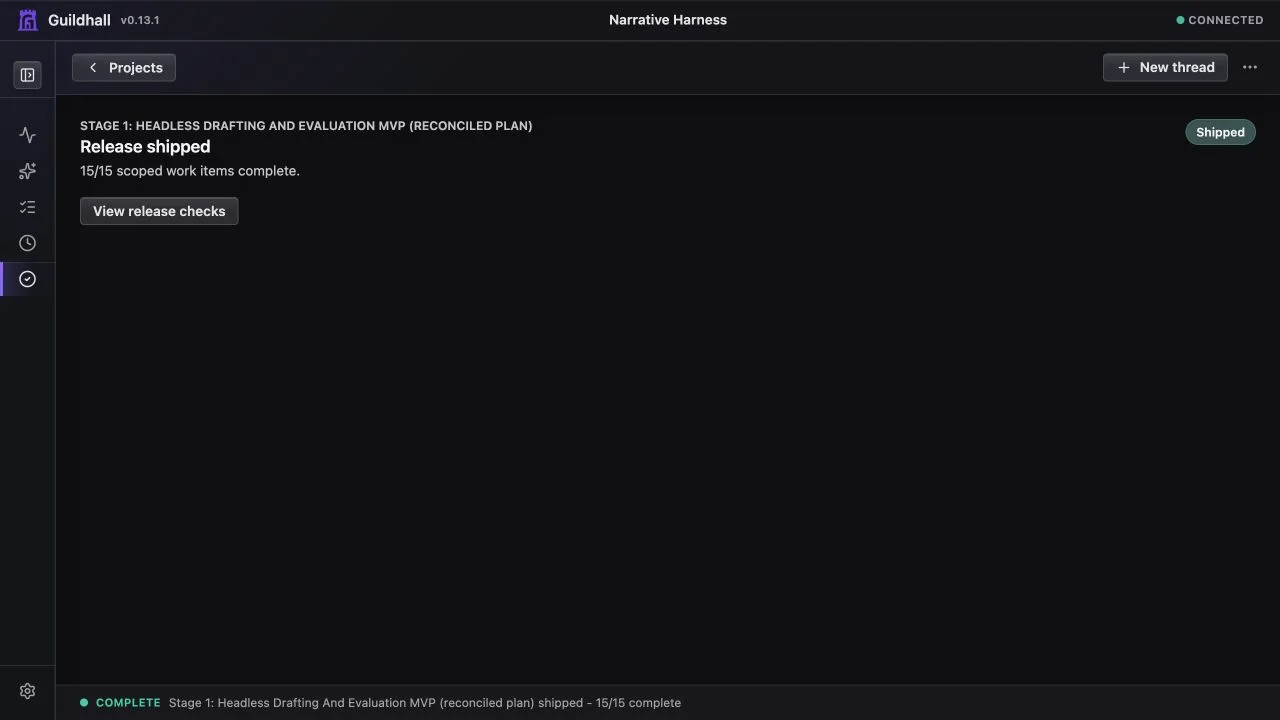
- Shipped means the release is closed. Later project changes do not reopen it.
Open Checks for the evidence behind the verdict. This includes unfinished work, approvals, proof, design-system review when UI work requires it, and repository state.
Overview and the project header use the same saved verdict. They may link you to Release, but Release does not invent another action once you arrive. If the release is shipped, every surface treats it as a receipt rather than reopening old setup, approval, or repository warnings.
If a refresh fails
A temporary API or provider failure should not replace the project with a blank page. Guildhall keeps the last known project state visible, shows that it could not refresh, and offers Try again. Treat the visible data as cached until that warning clears; do not approve or ship from an error-only screen.
Resolve repository follow-up
Repository follow-up means the work may be complete, but its checkout story is not settled yet. Release can show changed files, local commits, branches without an upstream, pending pull requests, skipped merges, or task worktrees that still need a decision.
Use the action shown beside the repository finding. Depending on the state, that usually means committing the work, pushing the branch, opening or merging the pull request, or explicitly recording that the residue is local-only or deferred.
Repository diagnostics explain why the current release cannot ship. They do not reopen a release that is already recorded as shipped.
Ship
When Release says Ready, choose Ship release. Guildhall performs a final live check before recording the release as shipped. If that check finds a new problem, the release stays open and the page shows the condition to resolve.
After shipping, the first view becomes a receipt: Release shipped, the completed count, and no required next action.
Start the next release
Shipping does not close the project. When another planned release exists, return to Project -> Map -> Release roadmap and select it. That is an optional new cycle, not unfinished work from the release you just shipped.
If no later release exists, there is nothing else Guildhall needs you to do.